
Generate Flowcharts with AI
Transform your processes and workflows into professional flowcharts using AI. Describe your process steps, decisions, and flows, and our AI will generate clear, structured flowcharts instantly.
Create Beautiful Mermaid Online Diagrams from Text
Transform your ideas into visual diagrams using simple Mermaid syntax. Perfect for documentation, system design, and workflow visualization.
- Choose a template from the left panel or write your own Mermaid syntax
- Watch your diagram render automatically in the preview panel
- Use the export buttons to download your diagram as SVG or PNG
- Click copy buttons to copy the diagram to your clipboard
- For custom diagrams, refer to the Mermaid documentation for syntax helpMermaid documentation for syntax help
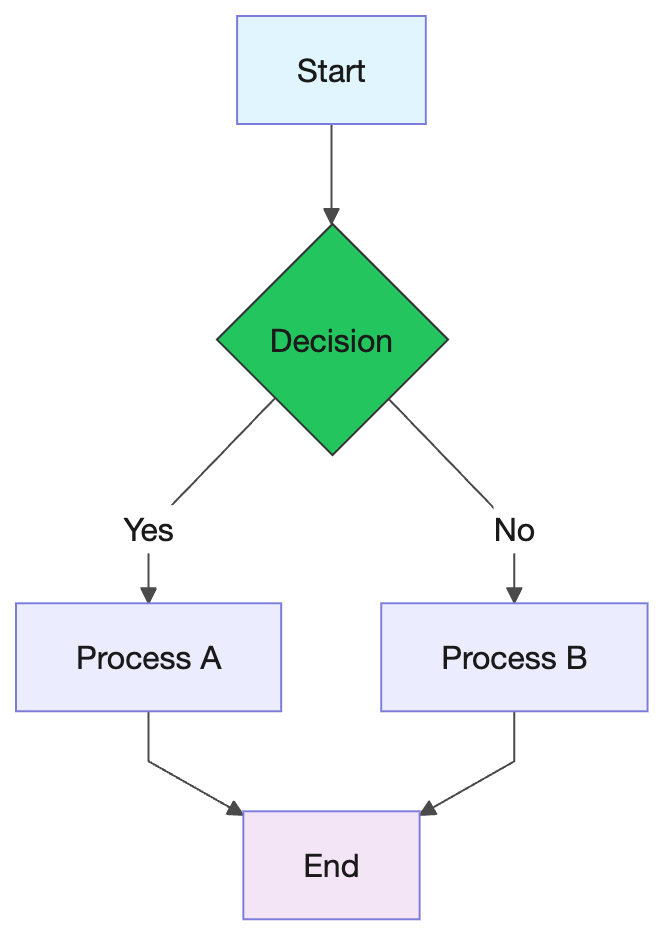
What is AI Flowchart Generator
AI Flowchart Generator is an intelligent tool that transforms natural language process descriptions into professional flowcharts. Perfect for business analysts, developers, and project managers.
- AI-Powered Process MappingDescribe your process in plain language, and AI generates accurate flowcharts with proper symbols and connections.
- Multiple Flowchart TypesSupport for process flowcharts, decision trees, workflow diagrams, and swimlane diagrams.
- Professional QualityGenerated flowcharts follow standard flowchart conventions and best practices for clarity.
Why Choose Our AI Flowchart Generator
Intelligent AI-powered flowchart generation service that ensures clear, professional process visualization.
How to Use AI Flowchart Generator
Create professional flowcharts in three simple steps:
Core Features of AI Flowchart Generator
Advanced AI-powered features designed specifically for flowchart and process diagram generation.
Natural Language Input
Describe your process in plain English - no need to learn flowchart symbols or syntax.
Smart Symbol Selection
AI automatically selects appropriate flowchart symbols: process boxes, decision diamonds, start/end terminals.
Flow Direction Detection
Intelligently determines flow direction and arranges elements for optimal readability (top-down, left-right).
Loop & Condition Support
Handles complex logic including loops, conditional branches, and parallel processes.
Mermaid Online Diagram Generation Price Plans
Choose the perfect Mermaid chart generation plan that suits your needs. Create professional flowcharts, sequence diagrams and more at affordable prices.
Basic One-time
Pay once for 1000 credits.
- Export to PNG/SVG
- 100 Diagram Storage limit
- 1000 Credits Total
- Up to 500 times AI Mermaid Optimization
- Up to 500 times AI Mermaid Generation
Standard One-time
Pay once for 20000 credits.
- Export to PNG/SVG
- No Watermark Export
- 20000 Credits Total
- 10000 times AI Mermaid Optimization
- 10000 times AI Mermaid Generation
Monthly Basic Package
Monthly access to 1000 credits.
- Export to PNG/SVG
- 100 Diagram Storage limit
- 1000 Credits Total
- Up to 500 times AI Mermaid Optimization
- Up to 500 times AI Mermaid Generation
Frequently Asked Questions About AI Flowchart Generator
Common questions and answers about our AI-powered flowchart generation tool.
What is a flowchart?
A flowchart is a visual diagram that represents a process, workflow, or algorithm. It uses standardized symbols like rectangles for processes, diamonds for decisions, and arrows for flow direction to show steps and logic.
What types of flowcharts can the AI generate?
The AI can generate various flowchart types including process flowcharts, decision flowcharts, workflow diagrams, algorithm flowcharts, and data flow diagrams with proper symbols and conventions.
Does it support complex decision logic?
Yes! The AI can handle complex decision trees, multiple conditional branches, loops, and nested logic. Simply describe the conditions and branches in your process description.
Can I use these flowcharts in my business documentation?
Absolutely. All flowcharts generated by our AI tool are free to use in business documentation, process manuals, training materials, presentations, and any commercial or non-commercial projects.
Start Generating Flowcharts with AI Today
Transform your process descriptions into professional flowcharts in seconds with our AI-powered tool.